Your voice. Your people. Your future.

Be part of
their every day.

A bedtime story in your voice. Their news from school. A birthday remembered. SendAKite keeps families connected and puts an AI Life Assistant within reach, even from inside.

Plans from $19.99/month$0 due at signup
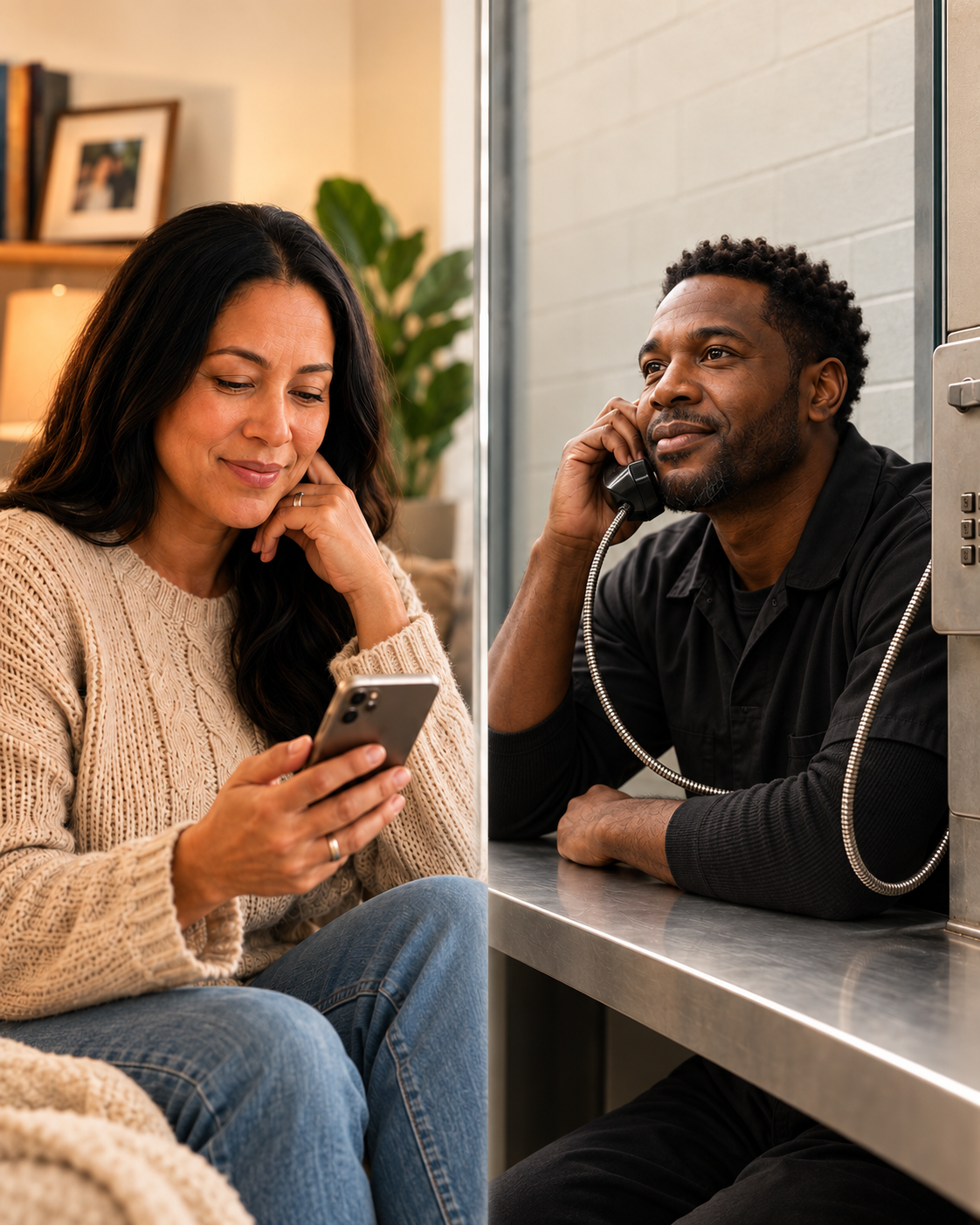
Illustrative scene of a woman at home reading a phone message and a man listening on a facility telephone.
The everyday moments still matter.“One more story.
Then sweet dreams.”
Your own voice. A connection they can answer.
Your own voiceFamily repliesMessages for meaningful datesAI for life today + tomorrow

Stay part of the story.

The little things.
The whole world.

Parent, partner, friend. Those roles keep going. Make room for the moments that make you feel like you.

01 / A familiar voice at bedtime

“This one’s
just for you.”

Record a short bedtime story or a goodnight message. Approve a daily call in your own voice, and give them something familiar to come back to.

Plan a bedtime message ↗Short recordings up to 90 seconds. Daily repeats play the same approved message. Delivery checks run hourly.
02 / Their day, in their words

“I scored.
I wanted you to know.”

A game, a school project, a small victory. Family can leave a voice KITE or reply to your message. Hear their update when you can open your inbox.

Plan a family check-in ↗Children connect with a parent or guardian through an approved number.
03 / Remember the date

Birthdays. Anniversaries.
“I thought of you.”

Schedule a personal message. Plan flowers or a gift with your assistant: choose an occasion, delivery date and budget, then review the researched options.

Start a gift plan ↗Gift research is available. Connected ordering and payment are in preparation; a plan does not place an order.
04 / Something to come home to

Your next chapter
starts with a plan.

Turn a business idea into a blueprint. Research work and housing. Build a release-day checklist, and save the next steps where you can return to them.

Build with your Life Assistant ↗Private saved work, available online and through phone inbox option 0.

Choose your connection.

Four plans.
One reason to stay close.

Start with the connection your family needs. $0 due at signup. Monthly billing begins after your connection is verified and activated.

KITE Essential

$19.99/month

Stay close. Keep the moments that matter.

  • 100 voice + text KITES each month
  • Voice replies, delivery calls and text KITES
  • 30-day text + voice history in app threads
  • Keep up to 10 app messages with no automatic expiry
  • Scheduled messages and Life Assistant plans
  • Saved contacts, block and pause controls
Choose Essential
KITE Connect

$24.99/month

More messages. More memories to keep.

  • Everything in Essential
  • Unlimited eligible voice + text KITES*
  • Keep up to 50 app messages with no automatic expiry
  • Daily horoscope and motivation
  • Optional faith content and language preferences
Choose Connect
KITE CompleteFeatured plan

$34.99/month

Family connection, live answers and room to save.

  • Everything in Connect
  • Keep up to 200 app messages with no automatic expiry
  • Live conversations with SendAKite AI
  • Follow-up questions and saved answers
  • Reentry, learning and everyday guidance
Choose Complete
KITE Premier

$69.99/month

Our largest message collection. More ways to connect.

  • Everything in Complete
  • Keep up to 1,000 app messages with no automatic expiry
  • Photo and short-video screening intake
  • Connected Life availability requests
  • Account controls for eligible additional services
Choose Premier

Included with every package

Your words. Your voice.

Record a KITE in your own voice, or turn typed words into a message using your approved personal AI voice. Send voice calls, text transcripts or a text link to the recording, and receive family replies.

Messages for meaningful dates

Plan a bedtime message, birthday wish or regular check-in. Choose a one-time send or a daily, weekly or yearly repeat, then review the recipient, message and schedule before approving.

A Life Assistant for what’s next

Save business blueprints, job and housing research, release checklists and letter drafts. Research gifts and draft a card. Return to your saved plans online or through phone inbox option 0.

Keep your favorites in the app. Text and voice messages appear in familiar conversation threads for 30 days. Choose Keep message before they expire to save them to your profile with no automatic expiry, within your package’s allowance. Saved-message spaces are a total capacity per app user for each connection, not a monthly allowance. App saving does not extend phone-inbox or SMS recording-link retention.

*Unlimited eligible messages on Connect, Complete and Premier. Essential includes 100 combined voice and text KITES per month. Message-length, security and abuse-prevention limits apply. Facility and carrier charges may be separate.

Prices shown in USD for U.S. plans; international pricing is confirmed before activation. Music is not an active plan benefit. Photo/video screening does not guarantee delivery.

Scheduled sends use your message allowance and are checked hourly; your selected time is the first eligible delivery time. Recurring calls reuse the same approved recording. Text delivery currently supports opted-in U.S. mobile numbers. Gift research and card drafts are available; connected ordering and payment are in preparation.

Illustrative scene of young people and a mentor connecting on a neighborhood basketball court.

Introducing First Flight Futures

A future worth
reaching for.

A new youth initiative focused on keeping kids connected to their communities and out of the juvenile justice system. Mentoring, family encouragement, scholarships and opportunities to move forward.

Explore Youth & Families Help shape the mission. Programs and partnerships are in development.

More than a missed call.

Real life.
Still connected.

From “I made it home” to “I’m proud of you.” Bring the little things—and the important things—back into the conversation.

Voice KITES1

Let them hear
you’re there.

Leave a voice message they can hear when phone time is available. Listen, replay and reply from the private inbox.

“We’re thinking of you.”A little encouragement, in your own voice.
See how a KITE works
Send to a phone number5

Their number.
Your message.

The person inside can enter a number, record a KITE and hang up. SendAKite calls that person, announces the sender and plays the message.

On the receiving endHear the KITE.

Press 1 to reply by voice.
Or text your reply with the routing number.

Follow a message
Text-to-voice

You text.
They listen.

Text the SendAKite number with the routing number and your message. Your words are read aloud in their private inbox.

Example textKITE 12345678

Made it home. Love you.
I’ll be here when you call.

Use your connection’s own routing number.
Your personal Rolodex6

Keep your
people close.

Save a name with each number. Browse contacts or say a saved name, hear the number confirmed and send another KITE.

MomSaved contact
MarcusSaved contact
Aunt LisaSaved contact
Manage names and numbers in the web app or by phone.
SendAKite AI3

Keep asking.
Keep learning.

Talk with SendAKite AI by phone. Ask follow-up questions, interrupt an answer and explore something new. Recorded questions and saved answers are also available.

Something on your mind?Music. History. Learning.
Preparing for what’s next.
Complete + Premier · Option 3, then 6 for live conversation.
Daily encouragement4

A new day.
A little direction.

A daily horoscope, a dose of motivation and optional faith or spiritual content. Choose the sign, style and supported language that fit your connection.

HoroscopeMotivationFaith + spiritualityLanguage preferences
Manage preferences Connect + Complete + Premier
Your connection on the web

Your people.
Your everyday life.

Open Everyday moments for bedtime calls, family updates, birthdays and gift planning. Keep messages, contacts, preferences, your store and earnings close at hand. Member plans stay in the private Life Assistant workspace.

Web app available now. iPhone and Android store releases are pending.

One KITE. A conversation that carries on.

Leave the message.
Keep the connection.

You don’t have to be free at the same moment. A recorded message can reach someone’s phone, and their reply comes back to the private inbox.

Consent first. Then the tone.

Press 1 to agree to recording before leaving a voice KITE. Record for up to two minutes, then press # when finished.

A KITE, from start to replyIllustrative example
From the person inside

A message for someone who matters.

Voice KITE

Hey, it’s Jordan. Just wanted to say I love you. Let me know how your day went.

Option 5 → Enter the number → Consent → Record → Hang up

Sample names and messages. Use your own connection’s routing number.

Music · Coming soon

Option 7 is planned for ten genres. Music is not available yet; telephone licensing and service setup must be completed before launch.

See the planned genres
1Hip-hop and Rap
2R and B and Soul
3Country
4Rock
5Pop
6Gospel and Spiritual
7Jazz
8Blues
9Latin and World
0Classical and Relaxation

More of your world.

The moments
worth sharing.

See what’s available today and what needs an approved delivery route through Connected Life.

Premier · Screening intake available

Photos + short videos

Submit a photo or short video for screening. Delivery to a facility depends on its supported provider and device.

View media availability
Availability requests

Connected Life

Explore requests for tablet and computer messages, email connections, funding links, video visits and other services. These routes need separate approval before use.

Explore Connected Life

Keep the line open.

It starts
with your people.

Find your facility
01

Choose your connection

Pick a plan and tell us who you want to reach. Search by country and facility, or enter the facility details.

02

Get ready together

Verify the connection details. For U.S. signup, save your card securely with $0 due. We confirm availability before activation.

03

Send the first KITE

Use the SendAKite number and eight-digit routing number to leave a message. The private PIN opens the inbox for listening and replies.

Recording with consentThe notice comes before the recording.
Control your contactBlock, or pause for 7 or 10 days.
Connection beyond releaseKeep eligible history after verified transition.

A few things to know.

Clear answers.
Closer connections.

Need a hand with your connection?

Contact SendAKite support
Can I schedule a bedtime story in my own voice?

Yes. Open Life Assistant or phone inbox option 0. Create a voice-call draft, choose a first date, local time, time zone and daily repeat. Record a short story of up to 90 seconds in your own voice, listen, and approve it. The same approved recording repeats; a different story needs a new recording and approval. For children, use a parent or guardian’s approved number. The scheduler checks hourly, so the selected time is the first eligible delivery time, rather than a guaranteed minute.

Can my children share school and sports updates?

Yes. With their parent or guardian, they can leave a voice KITE using the connection’s routing number, or reply by voice to a delivered message. The person inside can hear the update from their private inbox when phone access is available. Family callers do not need the private inbox PIN.

Can my assistant arrange flowers or a gift?

Gift planning is available in Life Assistant. Share the occasion, delivery date, city, preferences and total budget. The assistant researches merchant options and drafts a card for your review. Connected ordering and payments are being prepared. A saved plan does not place an order or authorize a charge; every purchase will need an approved merchant checkout and approval of the exact order and full total.

Can I send a Kite from my browser?

Yes. Sign in with your eight-digit routing number and private four-digit PIN, then open Create. Enter a recipient number or choose a saved contact. Send your typed Kite as a text message, or create and approve a personal AI voice preview before placing a call. Text KITES currently support US mobile numbers; voice calling depends on the destination and carrier. Set up your own voice in the browser or press 8 after logging into your phone inbox. Personal voice calls identify the AI audio and ask the recipient to press 1 to listen.

How long can I save text and voice messages in the app?

Every plan includes 30 days of text and voice message history, organized in conversation threads. Before a message expires, choose Keep message to save it to your app profile with no automatic expiry. Essential lets you keep up to 10 messages, Connect 50, Complete 200 and Premier 1,000. These are total saved-message spaces per app user for each connection, not new spaces each month. Open a conversation’s Saved view to find your kept messages. Removing a message from Saved returns it to the 30-day history; if it is already older than 30 days, it leaves your app history. These saving benefits apply to the app and do not extend phone-inbox or SMS recording-link retention.

Can a recorded voice KITE arrive as a text?

Yes. When sending from the phone inbox, choose text delivery for a readable transcript, a link to hear your original recording, or both. Text KITES currently support opted-in U.S. mobile numbers. Recording links are available for 30 days, and automatic transcripts can contain mistakes. Your original voice stays in the recording.

How does a KITE work?

A KITE is a voice or text message. Family and friends can call SendAKite, enter the eight-digit routing number and leave a voice message after consenting to recording. They can also text the routing number and their message to the active SendAKite number. The person inside signs in with their routing number and private four-digit PIN to listen and reply.

Can someone inside send a message to a new number?

Yes. After signing in, press 5, enter the destination number and confirm it. Press 1 to consent to recording, wait for the tone, record the KITE and press pound when finished. After the caller hangs up, SendAKite calls the chosen number. For international destinations, enter 00, the country code and the number. Delivery depends on the destination, carrier availability and recipient contact preferences.

What happens when SendAKite calls me?

The call announces who sent the KITE and plays their message automatically. Press 1 to reply by voice after the recording notice, or text the same SendAKite number with the connection's routing number and your reply. The delivery call does not ask for the private inbox PIN.

Do callers need to use an approved phone?

No. A caller can use any phone to enter the routing number and private PIN and open the inbox. Caller ID and sponsor approval are not required. Family and friends need the routing number, but not the PIN, to leave a KITE. Keep the private PIN with the person who should have inbox access.

How do I send a text KITE?

Where activated, text KITE followed by the exact eight-digit routing number on the first line, then your message on the next line. For example: KITE 12345678, followed by your message. Use your own connection's routing number; 12345678 is only an example. Text KITES support up to 600 characters and are read aloud in the private inbox. Regular SMS KITES do not include photo or video attachments. Message and call rates may apply.

How does SendAKite AI answer questions?

Complete and Premier members can choose option 3 after signing in, then press 6 for a live conversation. Ask follow-up questions or interrupt an answer to change direction. The same menu also offers recorded questions and saved answers to replay later. Follow the consent prompts before recording. Live availability and response times can vary; AI answers can contain mistakes.

Can we use music, photos and videos now?

Option 7 music is coming soon and is not playing yet. Telephone music licensing and service setup must be completed first. Premier photo and short-video screening intake is available; delivery to a facility requires a supported and approved delivery route. Computer, tablet and email connections are separate availability requests.

Where can I request SendAKite?

Worldwide requests are accepted for review. Choose your country and filter verified records by region, locality, jurisdiction, and facility type, or enter the facility details. Access is confirmed for the specific facility and telephone provider before activation. Non-U.S. requests collect no card until the local route is confirmed. International pricing is confirmed before payment.

Will it work at my facility?

No outside phone system can be guaranteed before actual use. We confirm your connection's availability before activation. If it cannot activate, you are not charged or any settled first payment is refunded.

Does SendAKite support multiple languages?

Yes. Open the Language button, search for your language and select Apply language to translate the website. Your selection is saved as you browse. Connect, Complete and Premier also offer spoken-language choices for personalized daily content in your connection settings.

When does billing start?

U.S. plans start at $19.99 per month. You securely save a card during signup, with $0 due that day. Your monthly subscription starts only after the connection is verified and ready to activate. It renews monthly until canceled. If the connection cannot activate, you are not charged or any settled first payment is refunded. See the cancellation and refund policy for full details.

Can I pause or block contact?

Yes. Recipients can block future SendAKite contact or pause it for 7 or 10 days. Contact controls are also available using the routing number and private PIN. Restoring contact requires the verified email step. These controls apply to SendAKite contact, not calls made separately through a facility's phone provider.

Will the connection continue after release?

The account and eligible retained history can continue after a verified release transition. Access details are checked or updated as part of that transition. Saved contacts belong to the connection account. Contact support to arrange the transition.

Your line to the outside.

Still a parent. Still a partner.
Still part of their world.

Start your connection today

From $19.99/month · $0 due at signup · Availability confirmed before activation